Legal
SMS Messaging Consent & Opt-In Policy
Last updated: April 29, 2026
1. Who We Are
Timply is a subscription-based appointment booking platform used by service businesses such as salons, clinics, and service companies. When a business subscribes to a Timply Pro or Agency plan, a dedicated 10-digit long code (10DLC) phone number is provisioned for that business and used to send transactional SMS messages to their customers on the business's behalf. Timply is operated by NovaTechBase LLC.
2. How We Collect Consent
Timply collects SMS consent through two channels:
a) Online booking form (web opt-in)
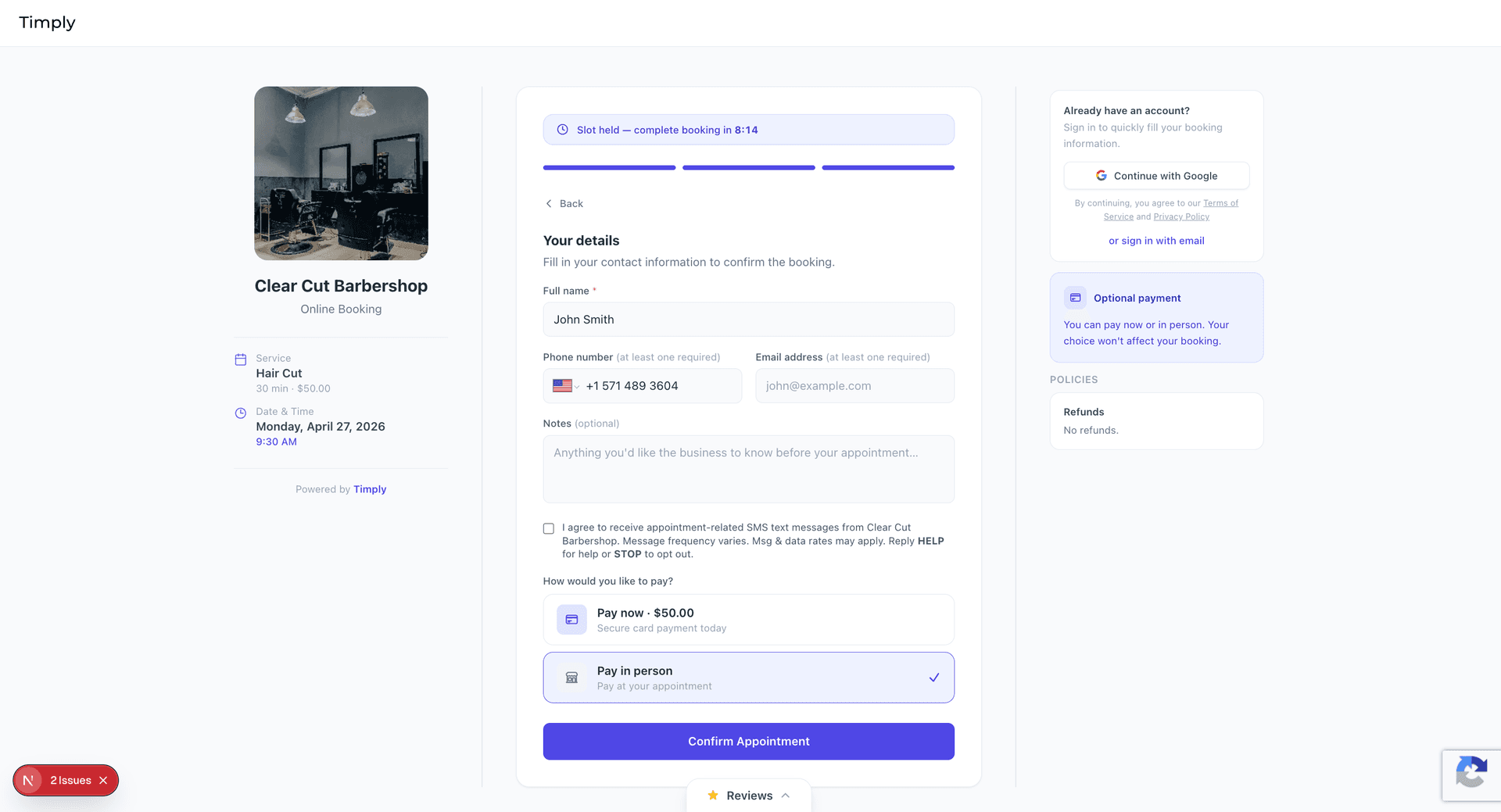
When a customer books an appointment through a business's Timply-powered booking page, an SMS consent checkbox is always visible on the "Your Details" step. The checkbox is unchecked by default and SMS consent is entirely optional — the customer can complete the booking without checking it. The consent language reads:
“I agree to receive appointment-related SMS text messages from [Business Name]. Message frequency varies. Msg & data rates may apply. Reply HELP for help or STOP to opt out.”
Online opt-in flow — step by step
The following screenshots show the complete booking experience on a Timply-powered booking page, demonstrating where and how SMS consent is collected.
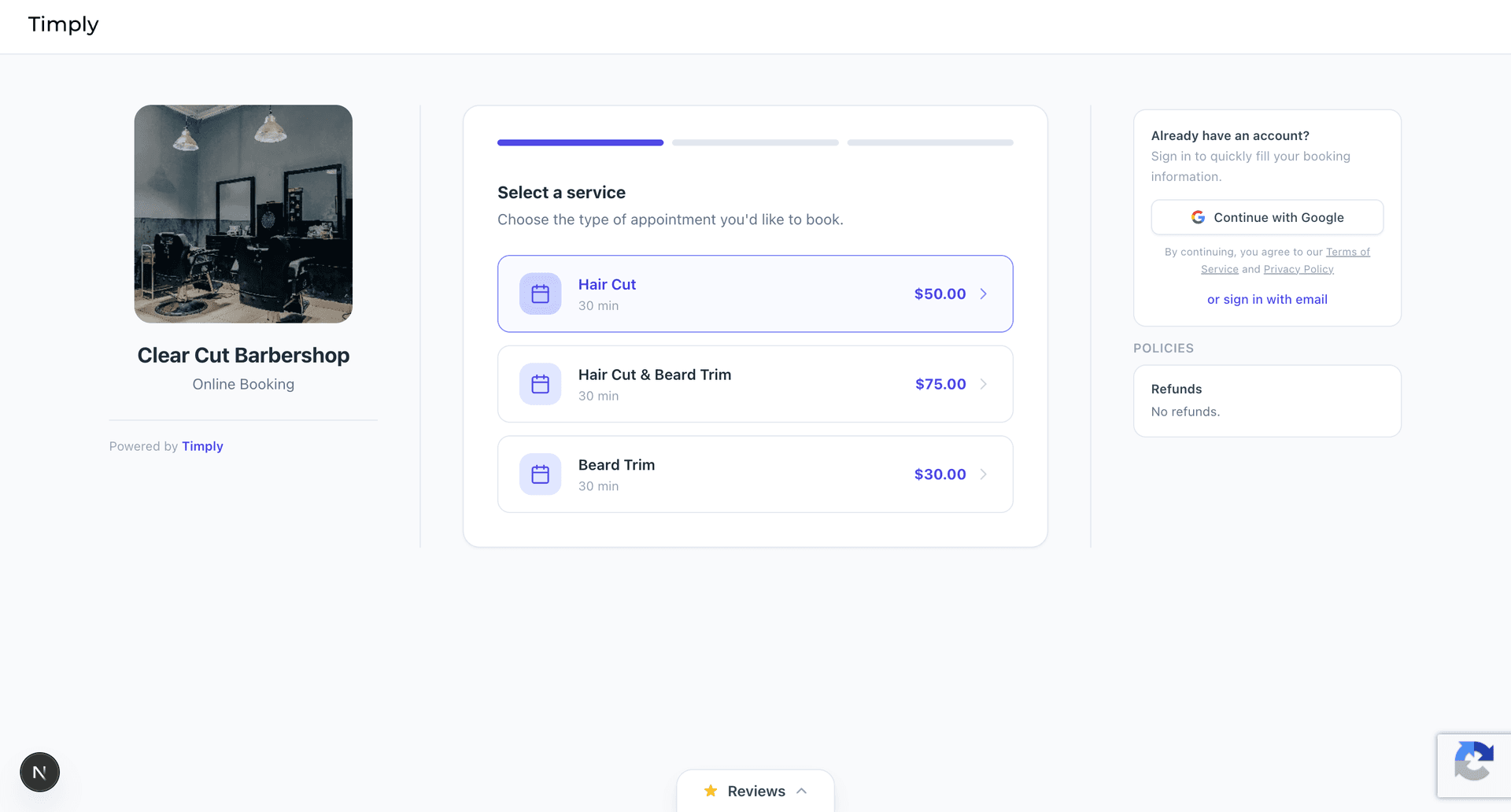
Step 1 — Customer selects a service
The customer lands on the business's booking page and sees the available services with pricing. In this example, the customer selects Hair Cut ($50.00) from Clear Cut Barbershop.
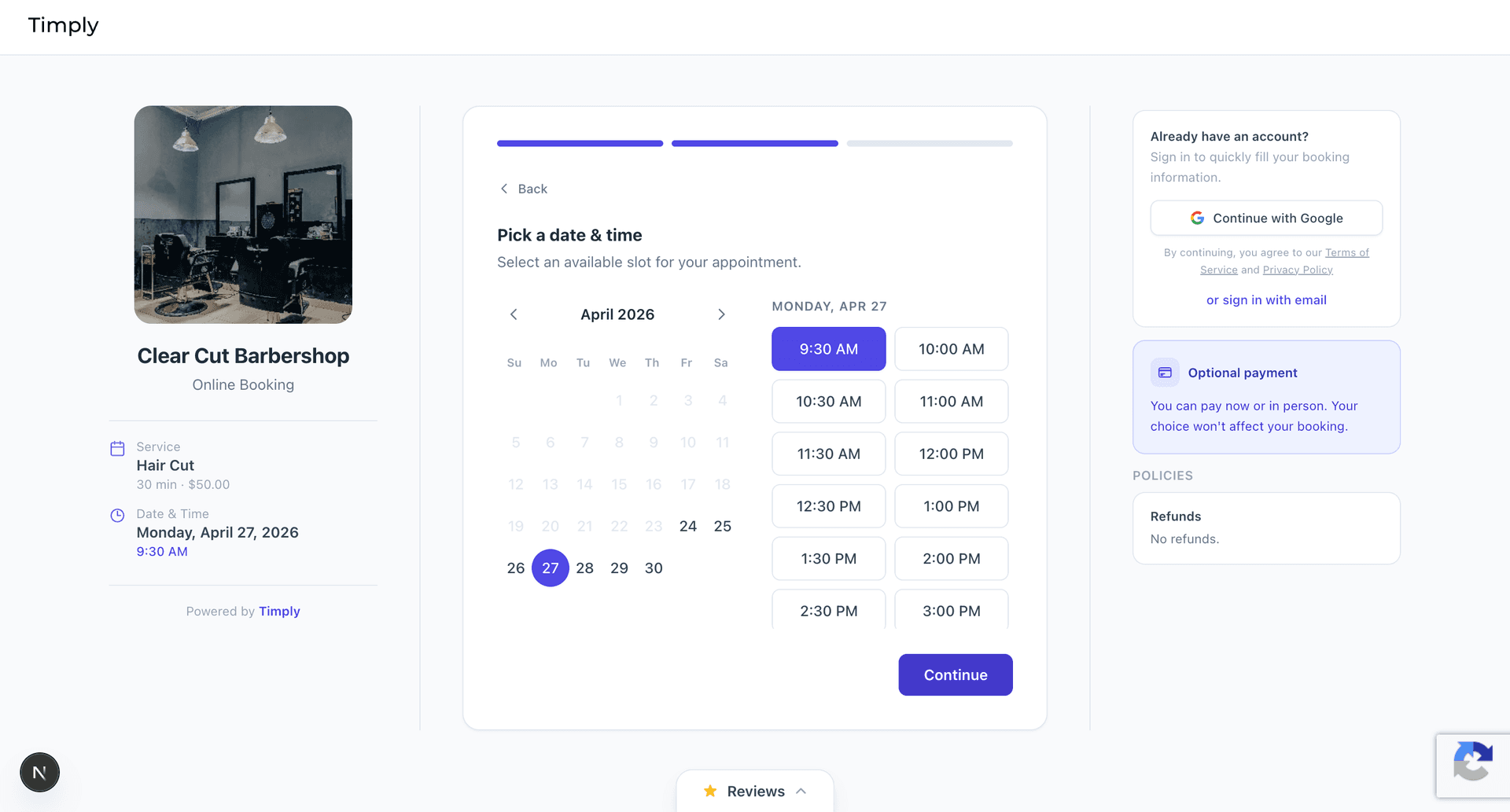
Step 2 — Customer picks a date and time
The customer is shown a calendar with available appointment slots. They select a date and time — in this example, Monday April 27, 2026 at 9:30 AM — then click Continue.
Step 3 — Customer fills in details; SMS consent is optional
On the "Your Details" step, the customer fills in their name and contact information. The SMS consent checkbox is visible and unchecked by default. The customer in this example has left the checkbox unchecked and selected "Pay in person." The "Confirm Appointment" button is fully enabled — demonstrating that SMS consent is not required to complete a booking.
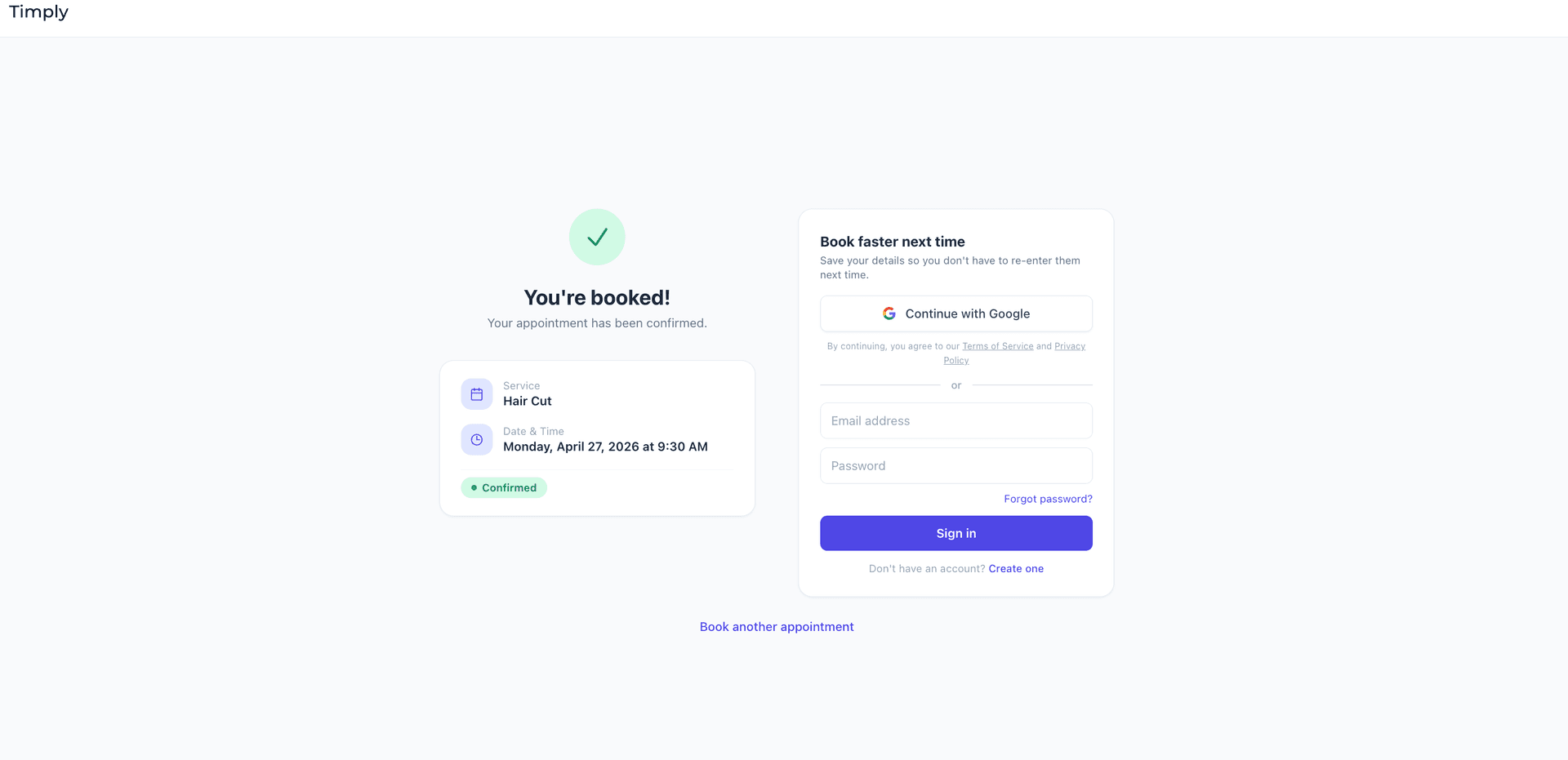
Step 4 — Booking confirmed
After clicking Confirm Appointment, the customer sees the booking confirmation screen showing the service, date, time, and a "Confirmed" status badge. The booking is complete. If the customer opted in to SMS, they will begin receiving transactional appointment messages from the business.
Opt-in confirmation SMS
When a customer opts in by checking the consent checkbox and completes their booking, they immediately receive an SMS confirming their enrollment:
“You've opted in to receive appointment reminders from [Business Name]. Msg & data rates may apply. Message frequency varies. Reply HELP for help, STOP to opt out.”
b) AI voice agent (verbal opt-in)
When a customer calls a business that uses the Timply voice booking agent, the AI agent obtains explicit verbal consent at the start of every call before collecting any information or proceeding with a booking. The following script is read verbatim:
“This call may be recorded for quality and training purposes. By continuing, you also agree to receive SMS text messages from [Business Name] for appointment confirmations, reminders, and verification codes. Message and data rates may apply. To opt out of SMS at any time, reply STOP. May I proceed?”
If the caller responds affirmatively, the call continues and they are eligible to receive transactional SMS messages. If the caller declines, the call ends immediately and no SMS messages are sent to that number.
3. Types of Messages We Send
- Appointment confirmation messages sent immediately after a booking is made
- Appointment reminder messages sent before a scheduled appointment
- Cancellation notices when an appointment is cancelled
- One-time PIN (OTP) codes used for identity verification during cancellation requests via voice agent
All messages are transactional in nature. We do not send marketing or promotional SMS messages. Message frequency varies by appointment activity. Message and data rates may apply.
4. Sent On Behalf Of
All SMS messages are sent by Timply on behalf of the business the customer booked with. Each subscribing business is assigned a dedicated 10DLC phone number. Messages clearly reference the business name and appointment details — not Timply.
Example: “Hi [Name], your appointment with [Business Name] on [Date] at [Time] has been confirmed. Reply STOP to opt out.”
5. How to Opt Out
Customers can opt out of receiving SMS messages at any time by replying STOP to any message. After opting out, no further messages will be sent to that phone number from that business.
For help, customers can reply HELP or contact us at [email protected].
6. Contact
- Timply by NovaTechBase LLC
- Email: [email protected]